Arroxy
Modern · Free · Open Source

Download YouTube videos
in full quality.

Anything YouTube serves — 4K, 1080p60, HDR, Shorts — straight to your disk.

No ads No tracking No login No cookies MIT licensed

Latest release: loading… · Windows · macOS · Linux

Arroxy demo
What it does

Everything you'd expect, none of the friction.

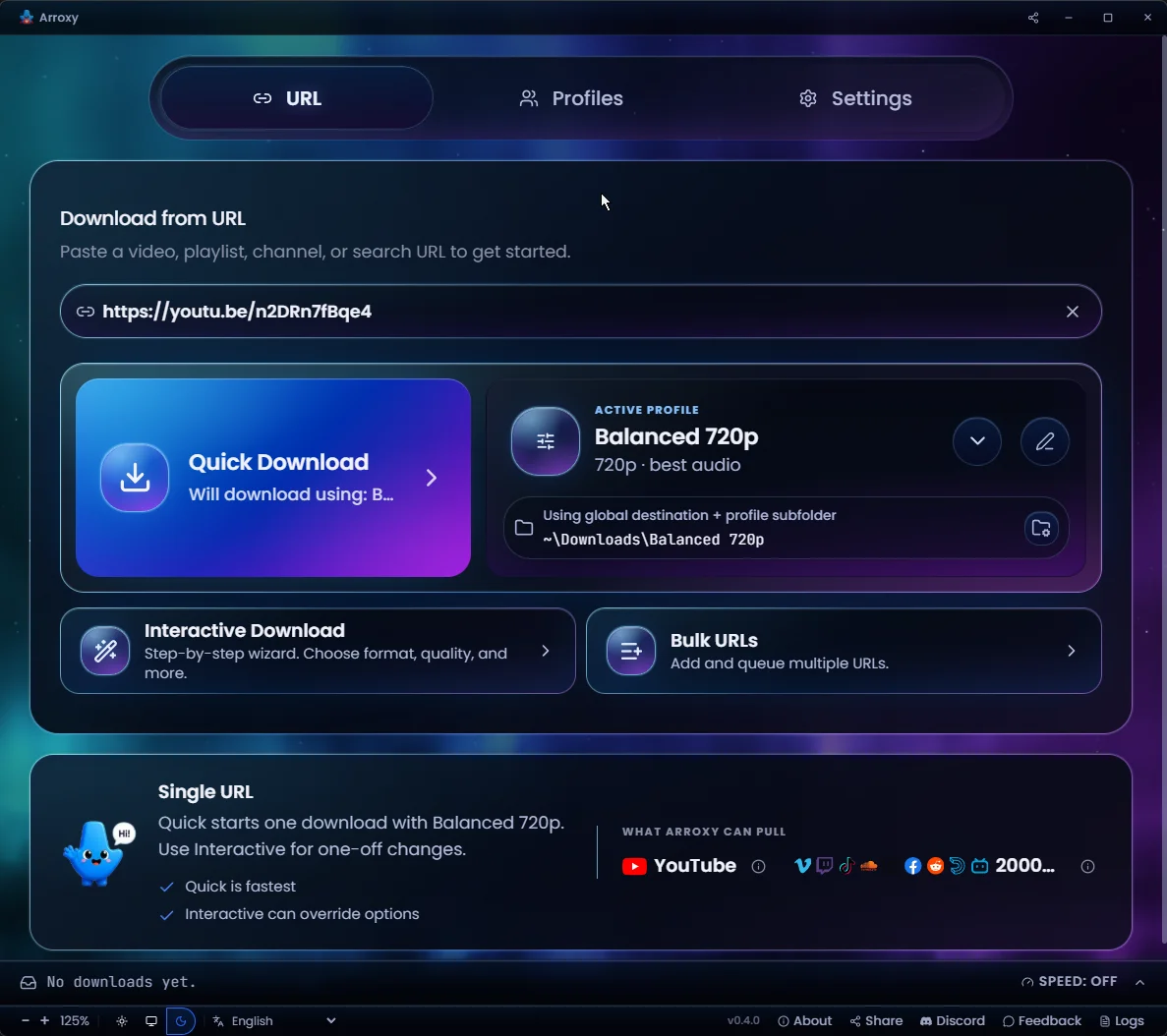
Paste a URL, pick a quality, click download. That's it.

Up to 4K UHD

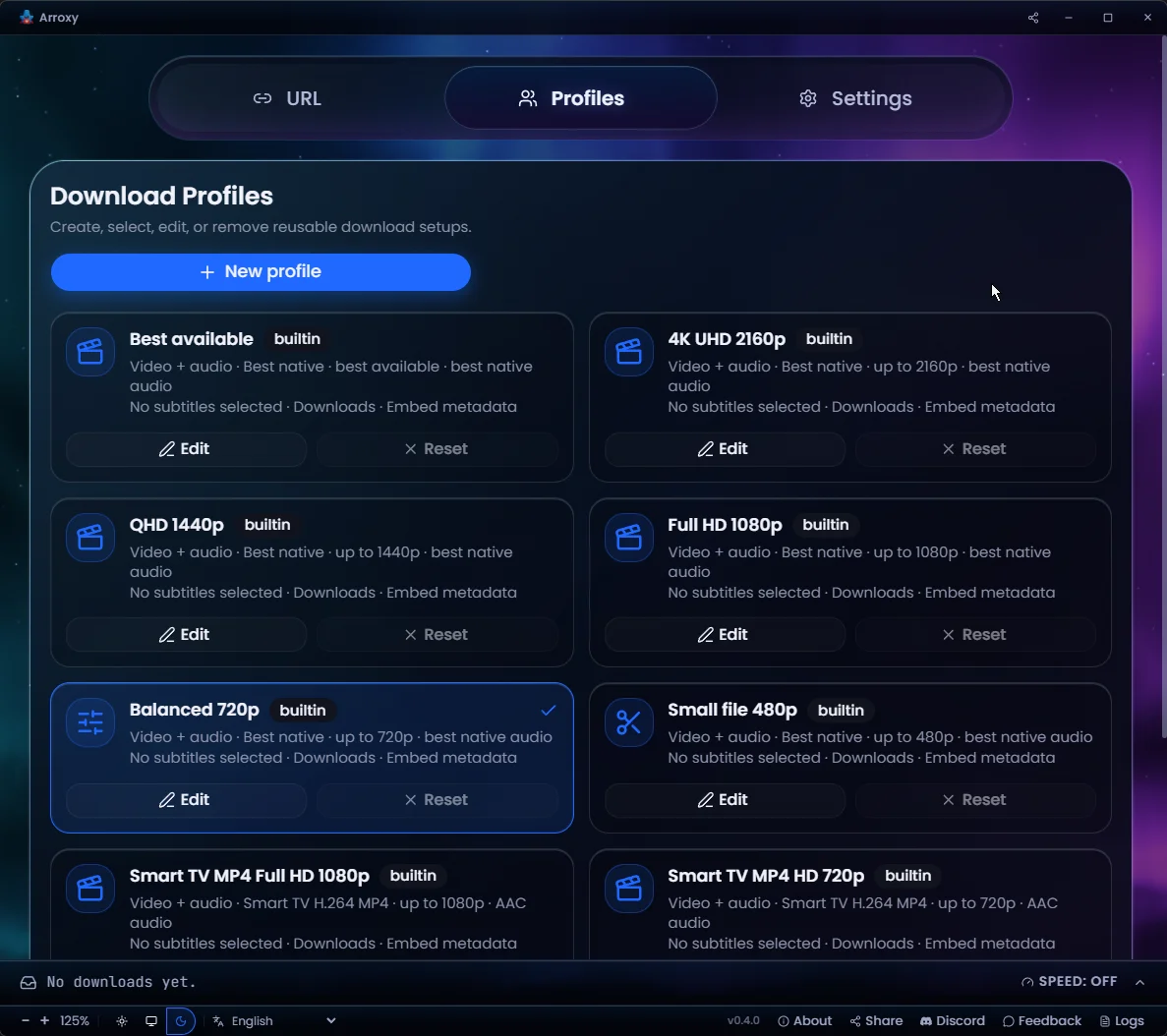
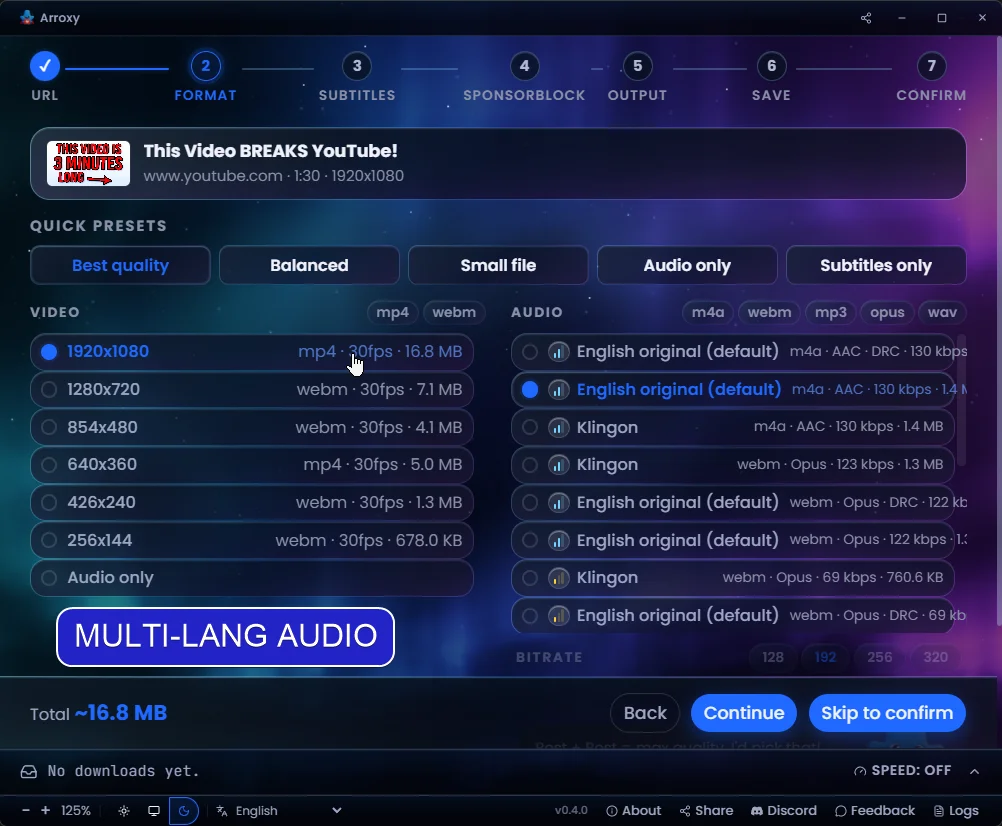
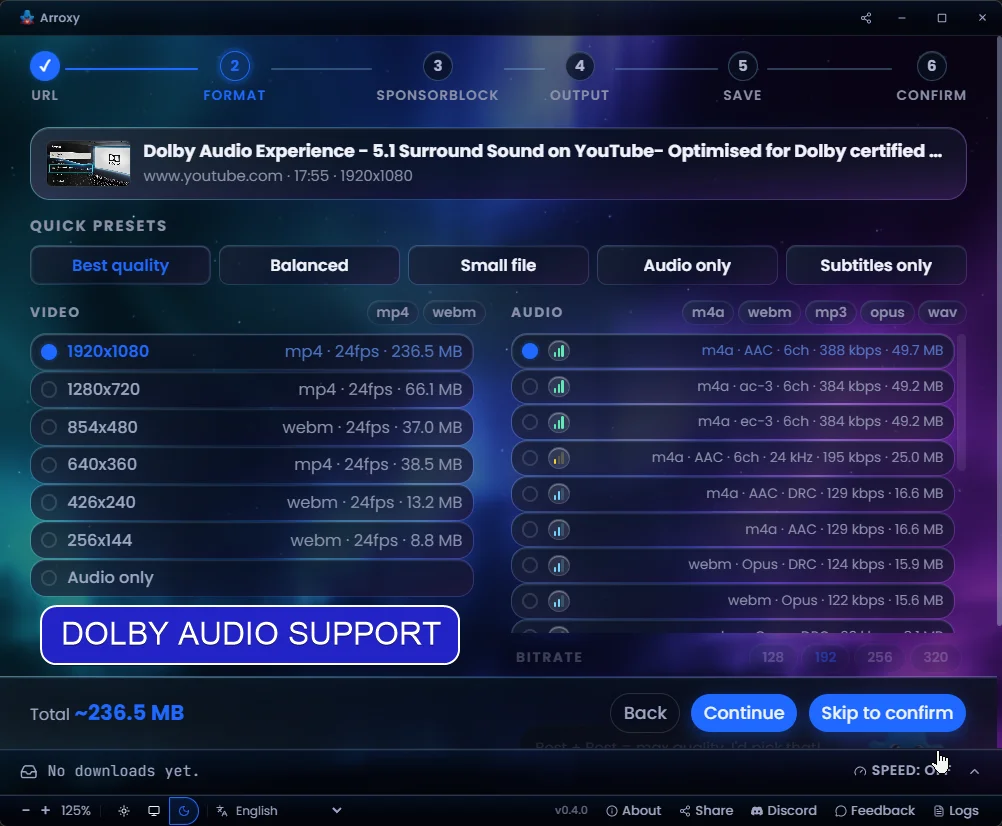
2160p, 1440p, 1080p, 720p — every resolution YouTube offers, plus audio-only MP3, AAC, and Opus.

60 fps & HDR preserved

High frame-rate and HDR streams come through exactly as YouTube encodes them — no quality loss.

Multiple at once

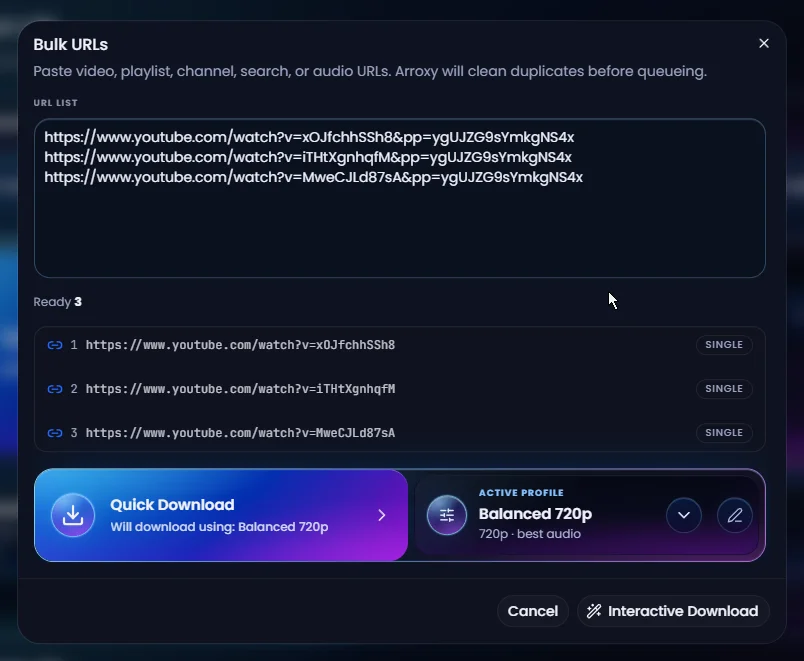
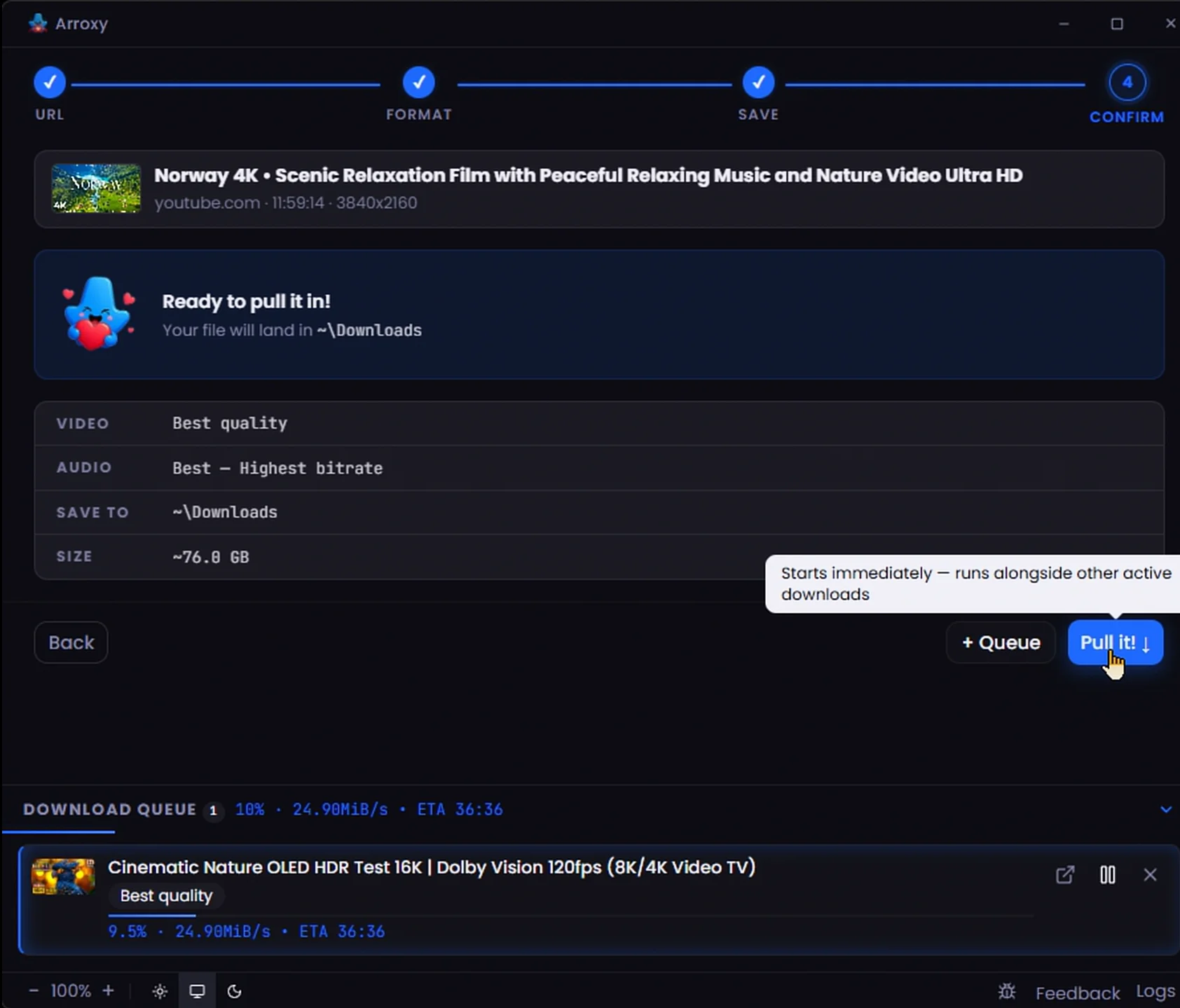
Queue as many videos as you want. The download panel tracks progress for each in parallel.

Auto-updates

Arroxy keeps yt-dlp and ffmpeg fresh under the hood — works through every YouTube change.

9 languages

English, Español, Deutsch, Français, 日本語, 中文, Русский, Українська, हिन्दी — auto-detects yours.

Cross-platform

Native builds for Windows, macOS, and Linux — installer, portable, DMG, or AppImage.

Subtitles, your way

Manual or auto-generated captions in SRT, VTT, or ASS — saved beside the video, embedded into a portable .mkv, or tucked into a Subtitles/ folder.

SponsorBlock built in

Skip or mark sponsor segments, intros, outros, self-promos, and more — cut them with FFmpeg or just add chapters. Your call, per category.

Clipboard auto-fill

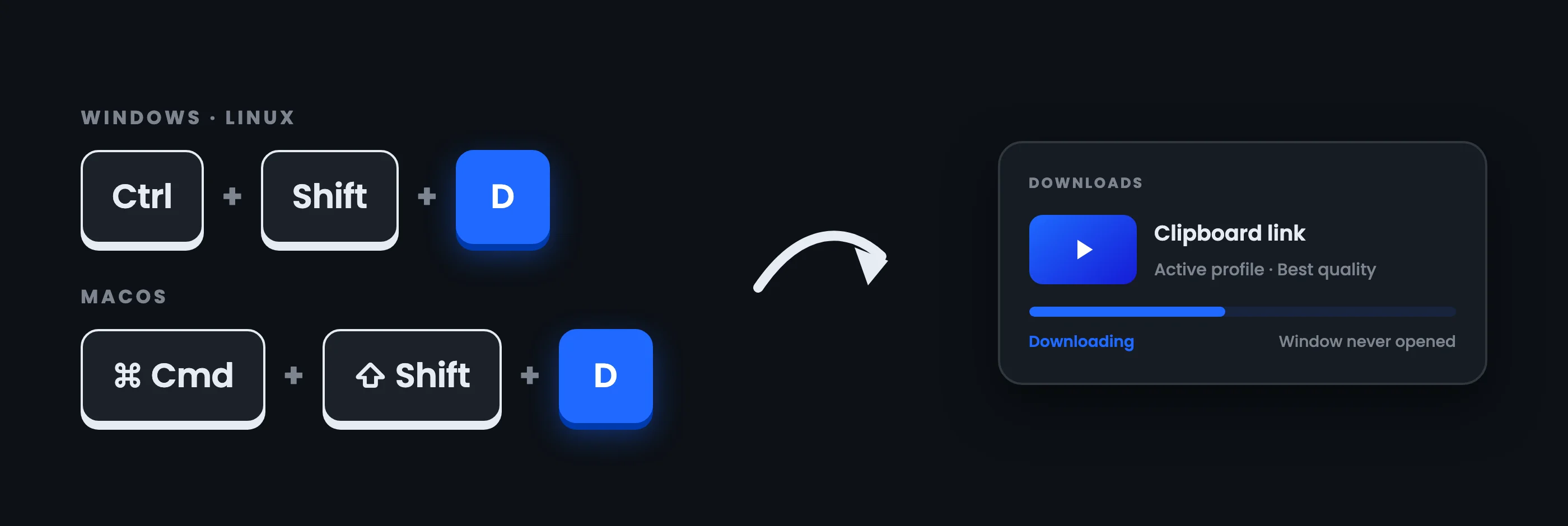
Copy a YouTube link anywhere and Arroxy detects it the moment you switch back — a confirm prompt keeps you in control. Enable or disable in Advanced settings.

Auto-clean URLs

Tracking parameters (si, pp, feature, utm_*, fbclid, gclid, and more) get stripped from pasted YouTube links automatically, and youtube.com/redirect wrappers are unwrapped — the URL field always shows the canonical link.

Hides to tray

Closing the window tucks Arroxy into your system tray. Downloads keep running in the background — click the tray icon to bring the window back, or quit from the tray menu.

Embedded metadata & art

Title, upload date, artist, description, cover art, and chapter markers written right into the file — no sidecar files, no manual tagging.

See it in action

Built for clarity, not clutter.

Paste a URL
Pick your quality
Choose where to save
Parallel downloads
Subtitles step — pick languages, format, and save mode
Privacy

What Arroxy doesn't do.

Most YouTube downloaders eventually ask for your cookies. Arroxy never will.

No login

No Google account. No sessions to expire. Zero risk of your account getting flagged.

No cookies

Arroxy requests the same tokens any browser does. Nothing exported, nothing stored.

No telemetry

Zero analytics. Your downloads, history, and files stay on your device — full stop.

No third-party servers

The whole pipeline runs locally via yt-dlp + ffmpeg. Files never touch a remote server.

FAQ

Frequently asked questions

What video qualities can I download?
Anything YouTube offers — 4K UHD (2160p), 1440p QHD, 1080p Full HD, 720p, 480p, 360p, and audio-only. High frame-rate streams (60 fps, 120 fps) and HDR content are preserved as-is. Arroxy shows you every available format and lets you choose exactly what to grab.
Is it really free?
Yes. MIT licensed. No premium tier, no feature gating.
What languages is Arroxy available in?
Nine, out of the box: English, Español (Spanish), Deutsch (German), Français (French), 日本語 (Japanese), 中文 (Chinese), Русский (Russian), Українська (Ukrainian), and हिन्दी (Hindi). Arroxy auto-detects your operating system's language on first launch and you can switch at any time from the language picker in the toolbar. Translations live as plain TypeScript objects in src/shared/i18n/locales/ — open a PR on GitHub to contribute.
Do I need to install anything?
No. yt-dlp and ffmpeg are downloaded automatically on first launch from their official GitHub releases and cached on your machine. After that, no extra setup is needed.
Will it keep working if YouTube changes something?
Yes — and Arroxy has two layers of resilience. First, yt-dlp is one of the most actively maintained open-source tools around — it updates within hours of YouTube changes. Second, Arroxy doesn't rely on cookies or your Google account at all, so there's no session to expire and no credentials to rotate. That combination makes it significantly more stable than tools that depend on exported browser cookies.
Can I download playlists?
Single videos are supported today. Playlist and channel support is on the roadmap.
Does it need my YouTube account or cookies?
No — and that's a bigger deal than it sounds. Most tools that stop working after a YouTube update tell you to export your browser's YouTube cookies. That workaround breaks every ~30 minutes as YouTube rotates sessions, and yt-dlp's own docs warn it can get your Google account flagged. Arroxy never uses cookies or credentials. No login. No account linked. Nothing to expire, nothing to ban.
macOS says "the app is damaged" or "cannot be opened" — what do I do?
This is macOS Gatekeeper blocking an unsigned app — not actual damage. The README has step-by-step instructions for the first-time launch on macOS.
Is this legal?
Downloading videos for personal use is generally accepted in most jurisdictions. You are responsible for complying with YouTube's Terms of Service and your local laws.
Install

Pick your channel.

Direct download or any major package manager — all auto-updated each release.

Winget Windows

Recommended for Windows 10/11. Auto-updates with the system.

winget install AntonioOrionus.Arroxy

Scoop Windows

Portable install via Scoop bucket. No admin rights needed.

scoop bucket add arroxy https://github.com/antonio-orionus/scoop-bucket && scoop install arroxy

Homebrew macOS

Tap the cask, install with one command. Universal binary (Intel + Apple Silicon).

brew tap antonio-orionus/arroxy && brew install --cask arroxy

Flatpak Linux

Sandboxed install. Download the .flatpak bundle from Releases, install with one command. No Flathub setup needed.

flatpak install --user Arroxy-*.flatpak

Direct download All

NSIS installer, portable .exe, .dmg, .AppImage, or .flatpak — straight from GitHub Releases.

Open Releases →